One crowd. One live picture.
Whether you are waiting for your turn, running a front desk or hosting an event, everyone sees the same live line. Here is exactly what happens, with real screens.
From the door to the desk, in four steps.
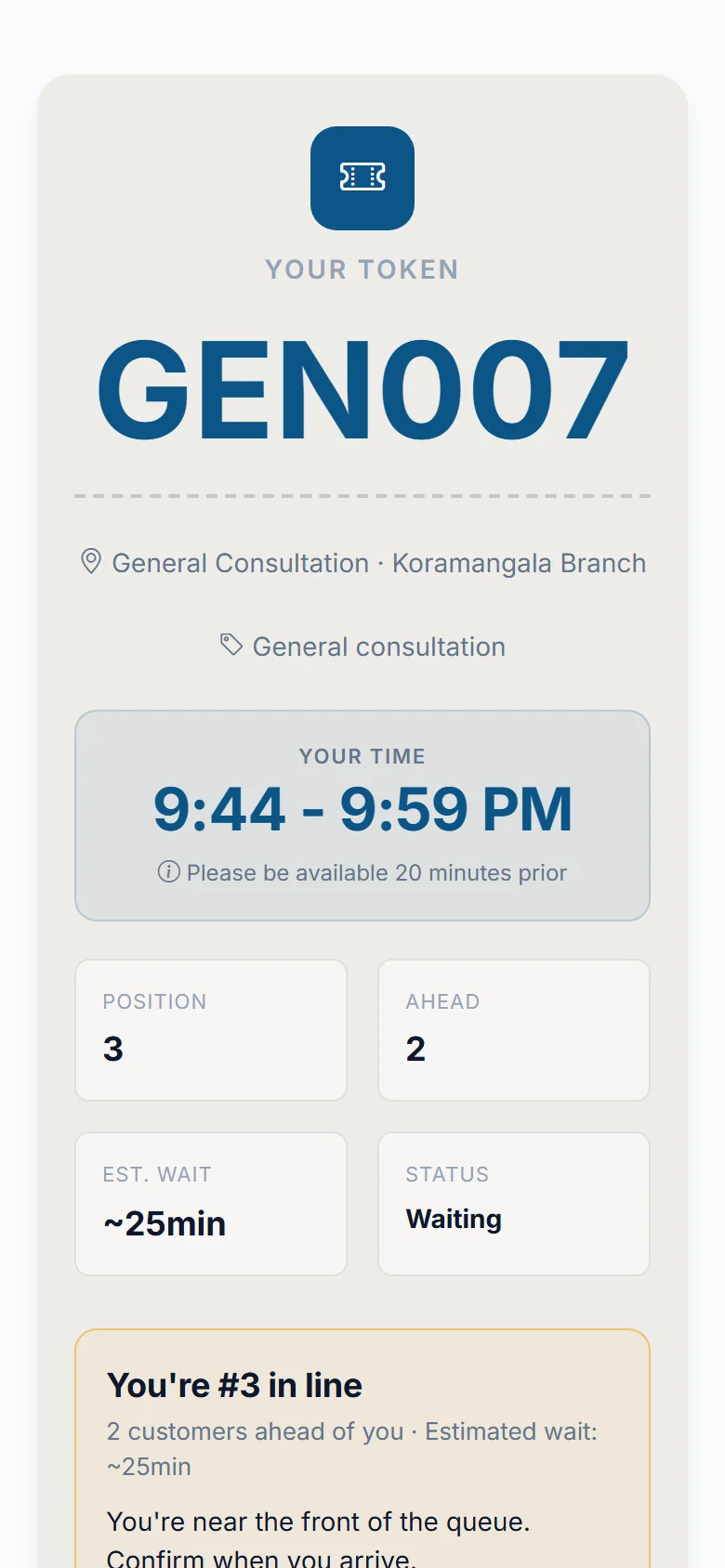
It takes under a minute to join, and nothing needs installing. It all happens in your phone's browser.
Scan and see the line
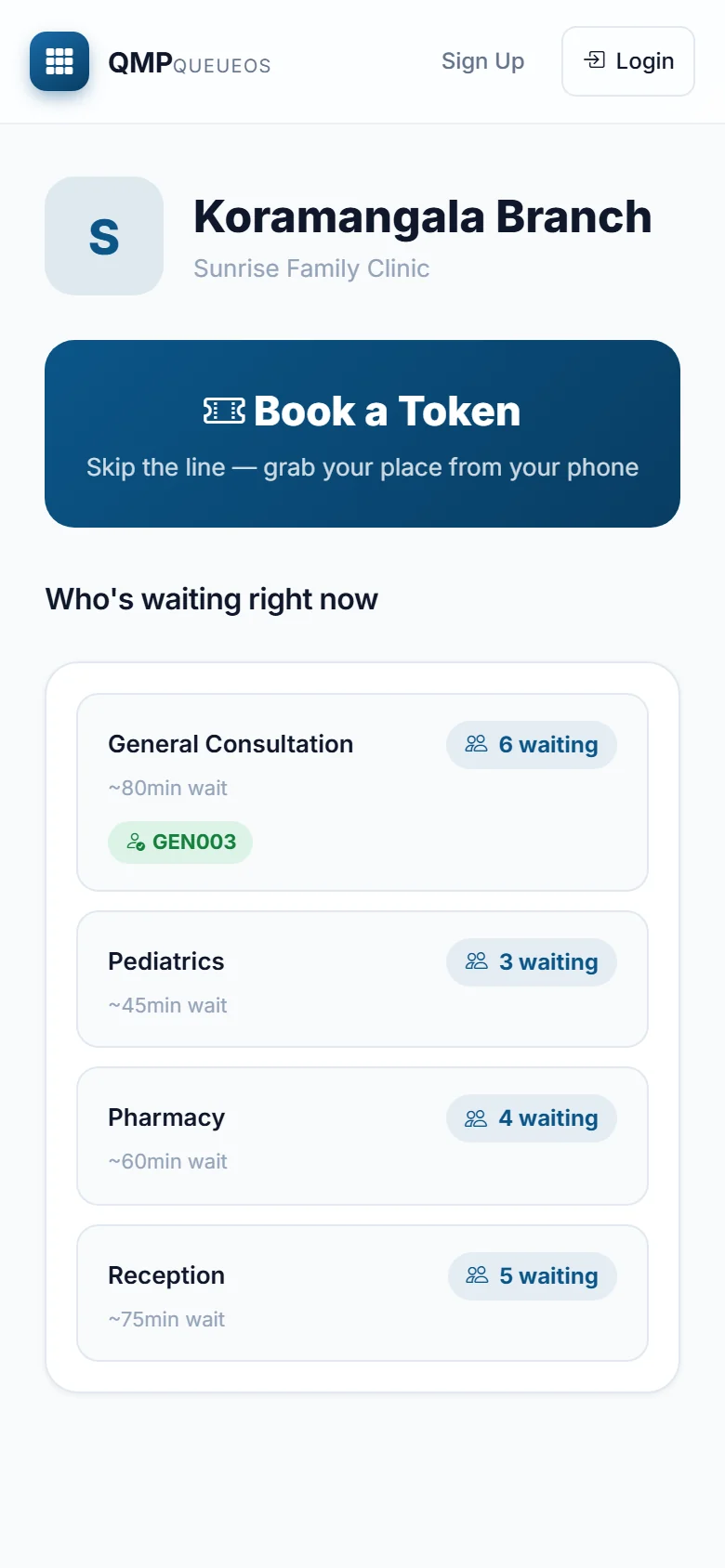
Scan the QR code at the counter, or search for the business on our site. You see who is waiting and how long each service takes.
Get your token
You get a number, your place in line and an honest wait. Your token is also sent to you on WhatsApp and email.
Say "I am here"
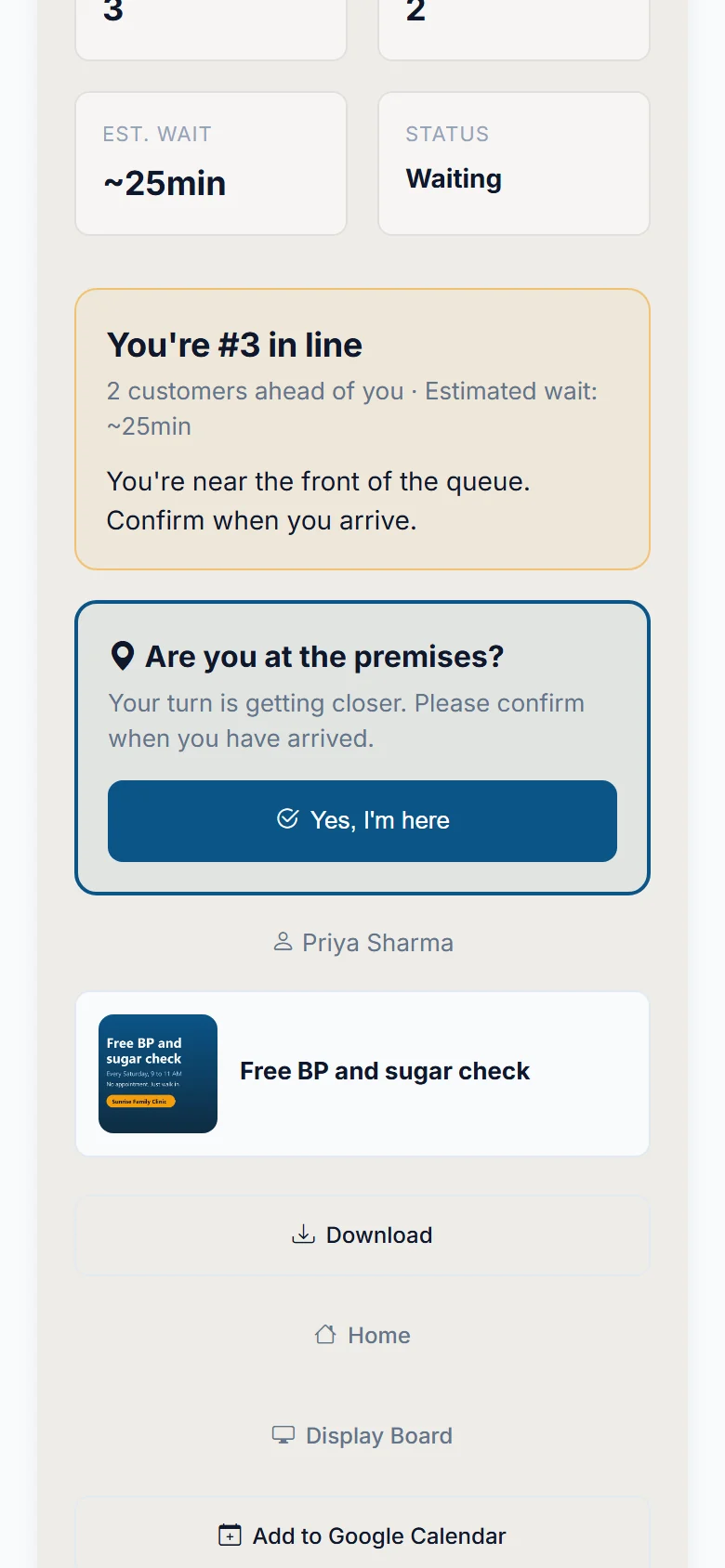
As your turn gets close, we ask if you have arrived. One tap tells the desk you are at the premises.
Walk in when called
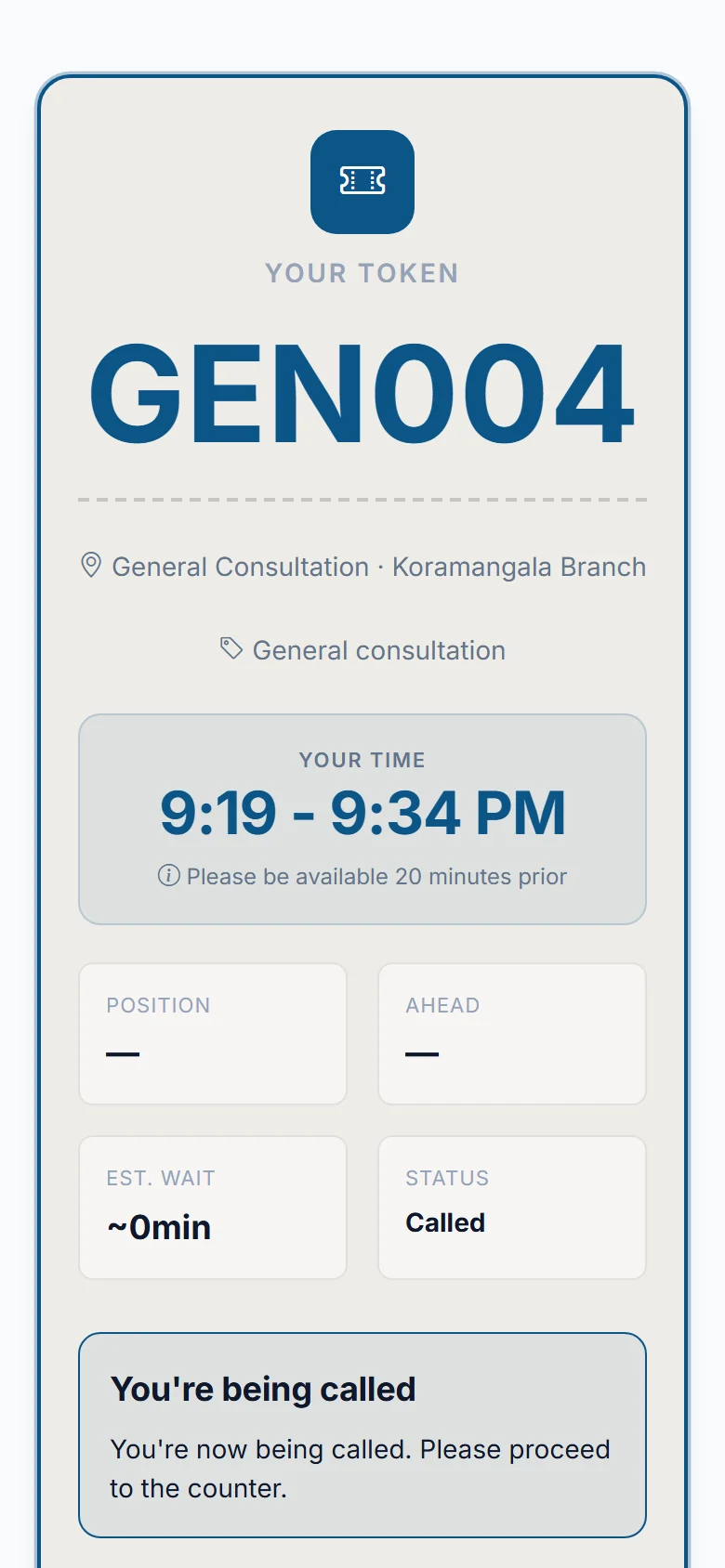
The screen changes the moment you are called, and we message you too. Cancel any time before then if plans change.
Set it up once. Let the front desk run itself.
We set up your profile, branches and queues with you. After that, this is a normal day.
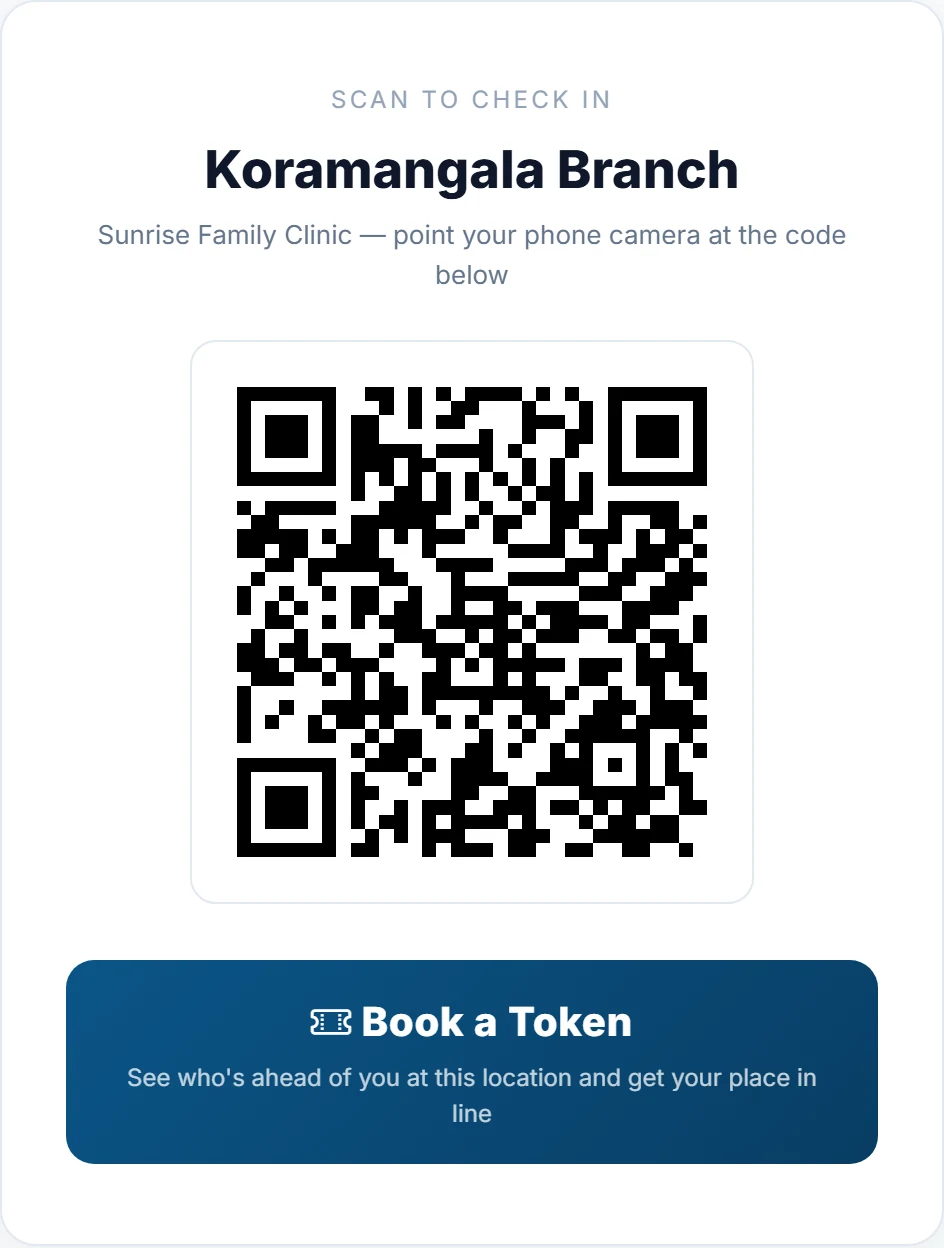
Put up your QR poster
Print the poster and place it at the door or counter. Walk-ins scan it and join the line from their own phone.
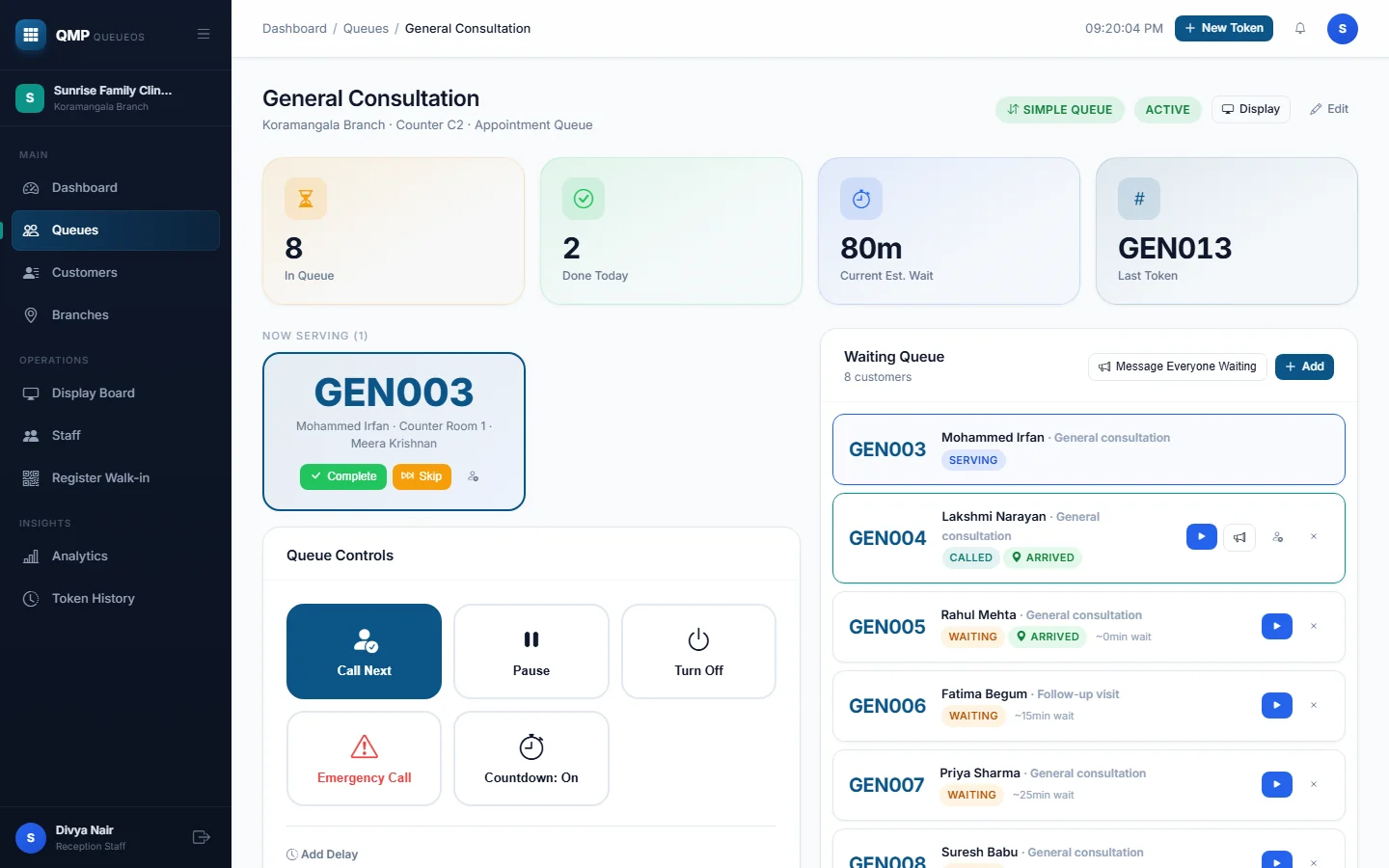
Call people as you go
Tap Call Next. Add a delay, pause the line or call back someone who missed their turn. Everyone's phone updates at once.
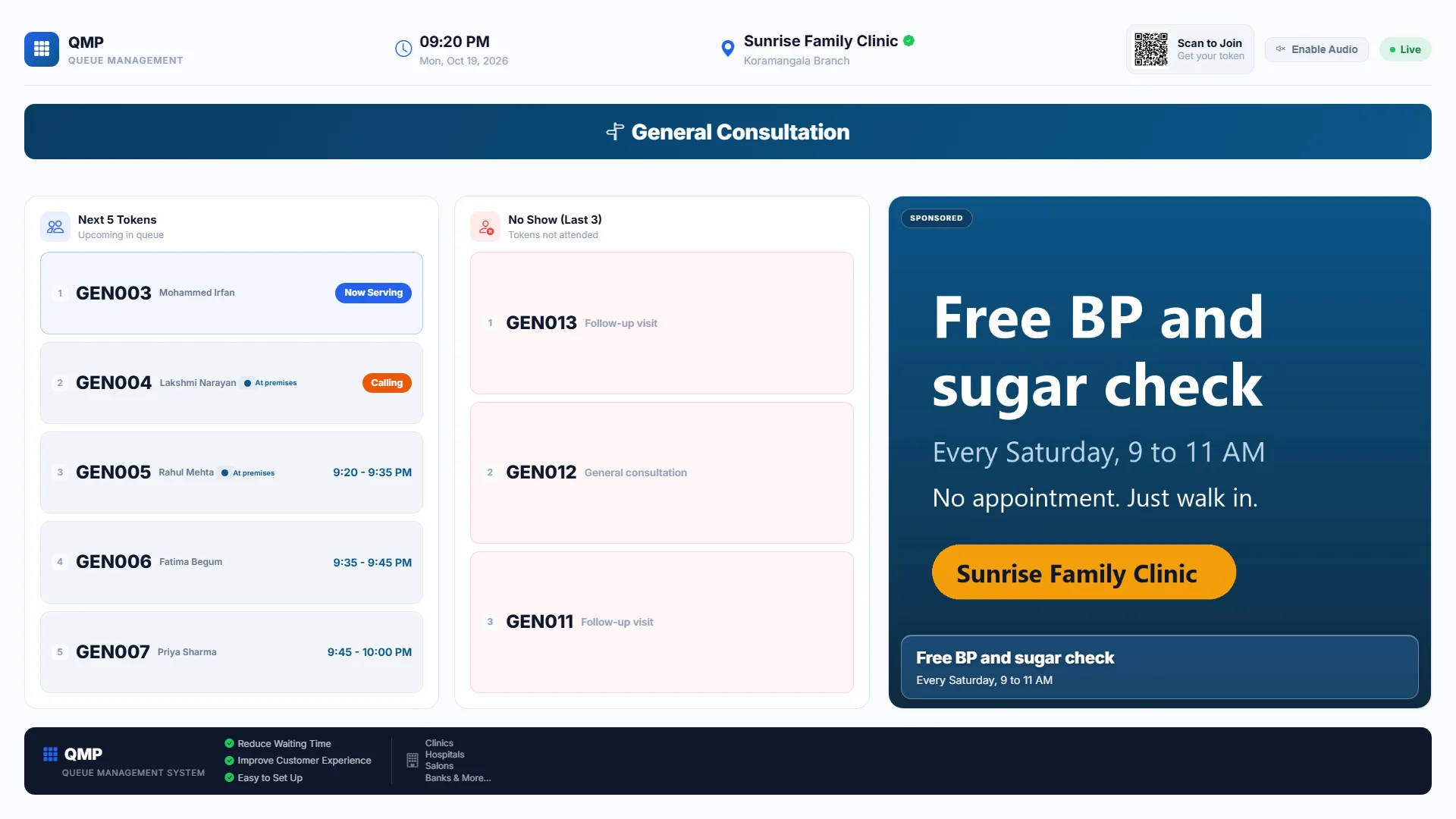
Show it on a screen
Open a link on any TV in your waiting room. It shows who is up, who is next and your own promotions.
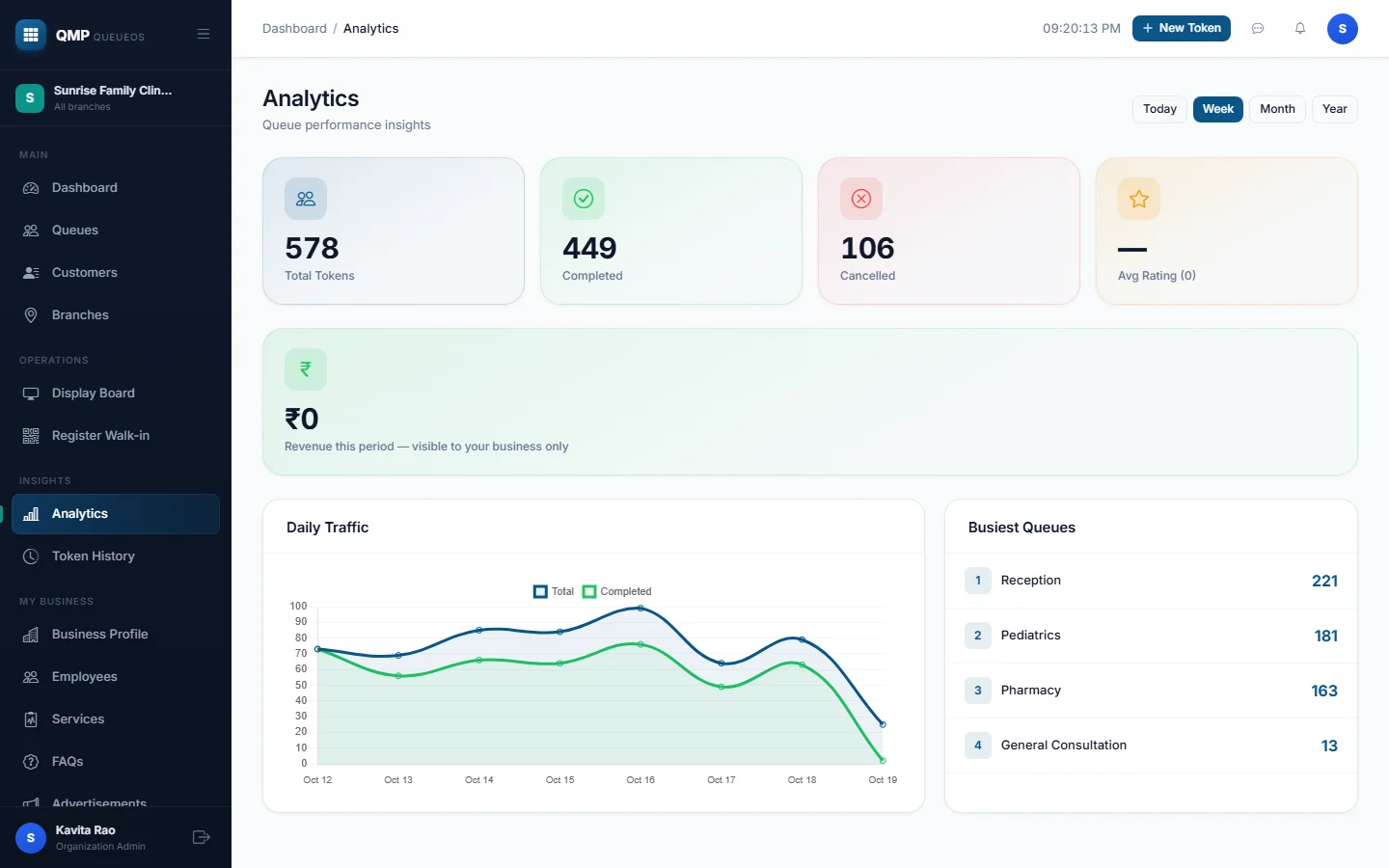
Then see how your day went.
Busy hours, completed visits and customers who left, so you can plan staff before the rush, not after.
A temporary crowd, managed for the day.
Food conclaves, fairs, vendor days. Our team sets up the counters, posters and venue screen for you.
Print the QR poster
One poster at the gate or one per stall. Guests scan, with no app and no sign-up.
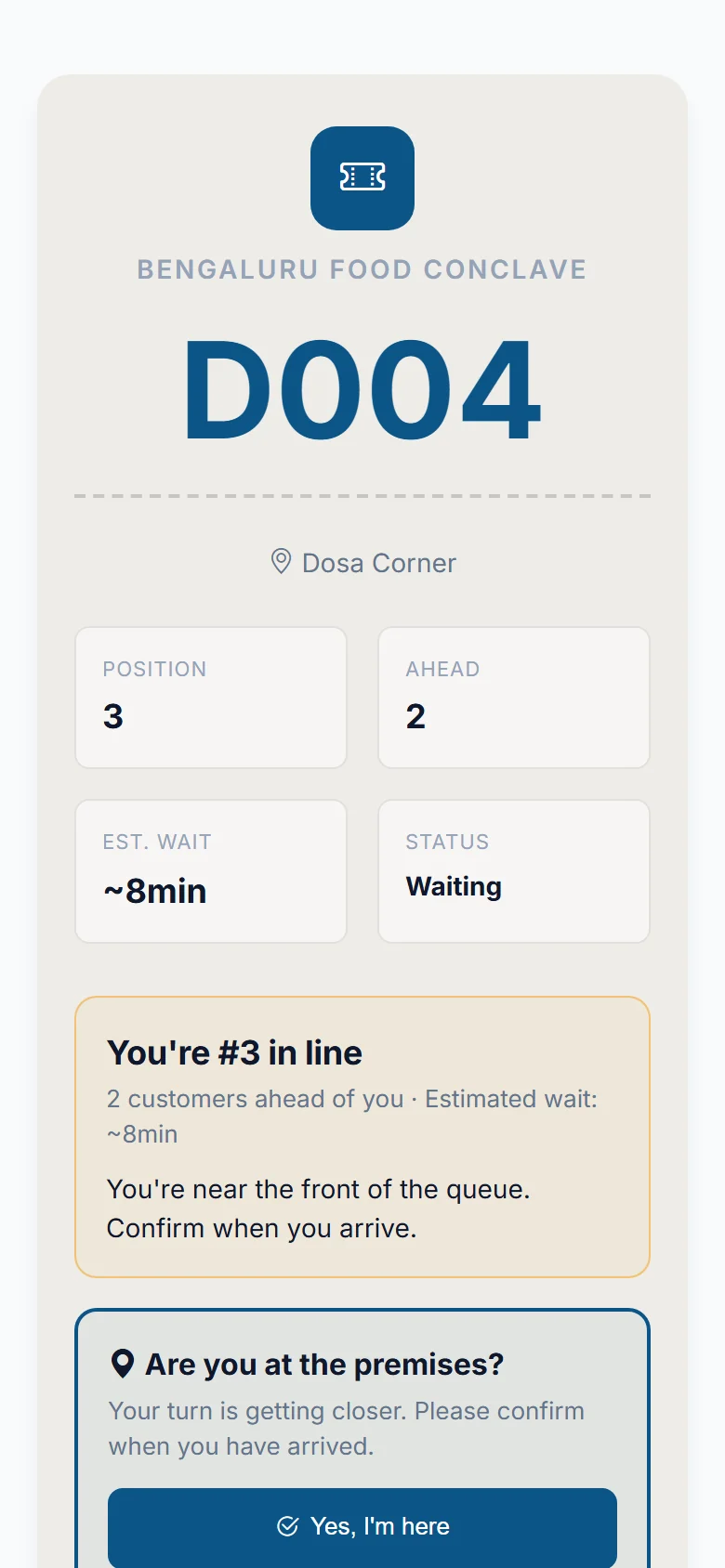
Guests pick a stall
Each stall has its own live line. Guests get a number and watch their turn come up.
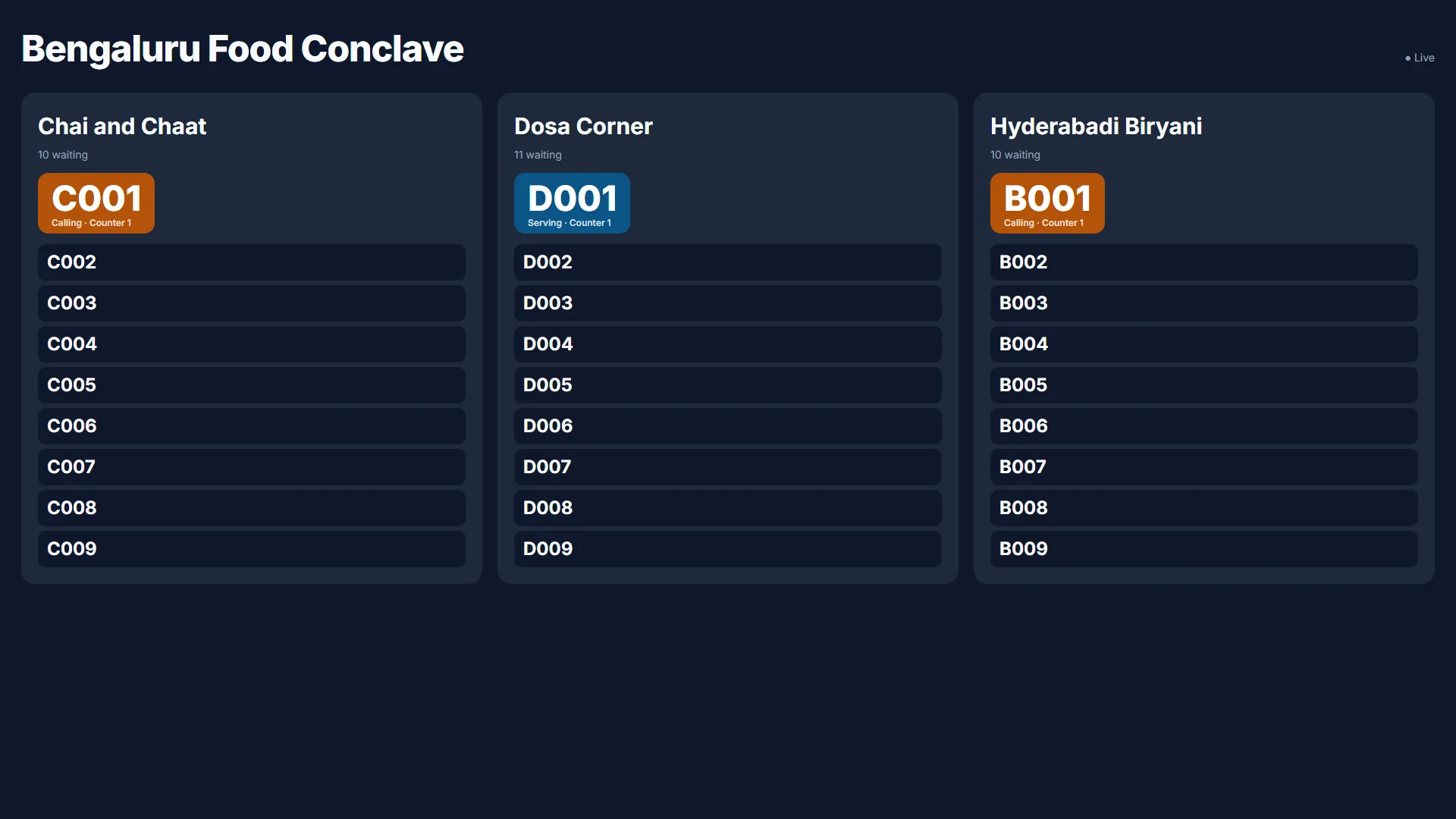
Run it from one screen
The venue screen shows every stall at once. When the event ends, the queues close and guest details are cleared on a schedule.
See it with your own queues.
A short walkthrough built around your business. No card needed.
Book a demo