We manage the crowd.
Customers get a live place in line and an honest wait. You get one calm view of everyone. The same platform runs a clinic's daily rush and a three-day conclave.
Know where you stand.
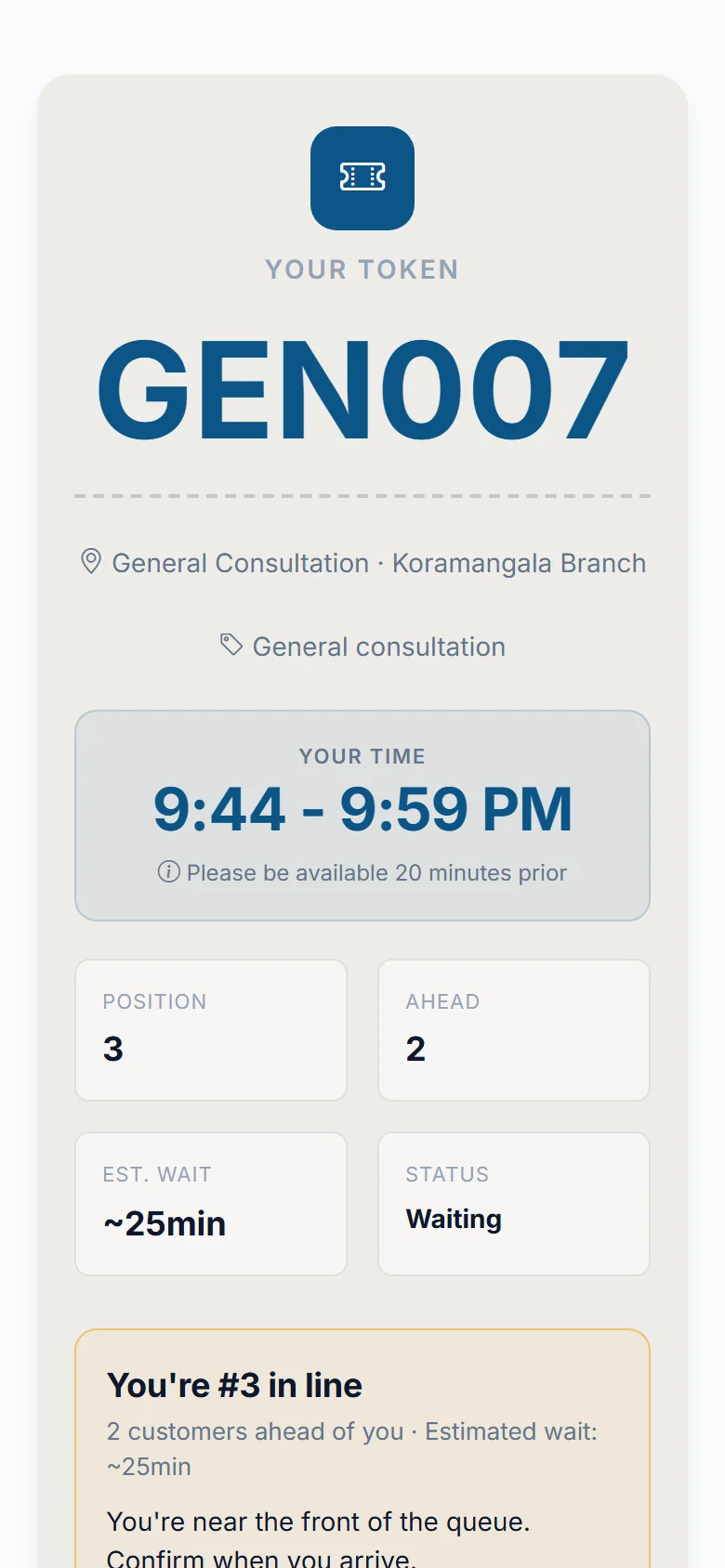
A take-a-number ticket that lives on your phone.
You know the crowd at a clinic reception or a salon counter. QMP replaces it. You get a digital token, see your exact place in line, and walk in when it is nearly your turn. The business sees everyone on one screen.
Standing in a crowd is the worst part of any visit.
It hurts both sides of the counter. QMP fixes both.
Without QMP, customers
- Do not know how long the wait will be.
- Cannot leave without losing their place.
- Keep asking the desk, "How much longer?"
Without QMP, businesses
- Have a packed lobby that puts people off.
- Lose customers who walk out before they are served.
- Cannot see when it is busy until it is too late.
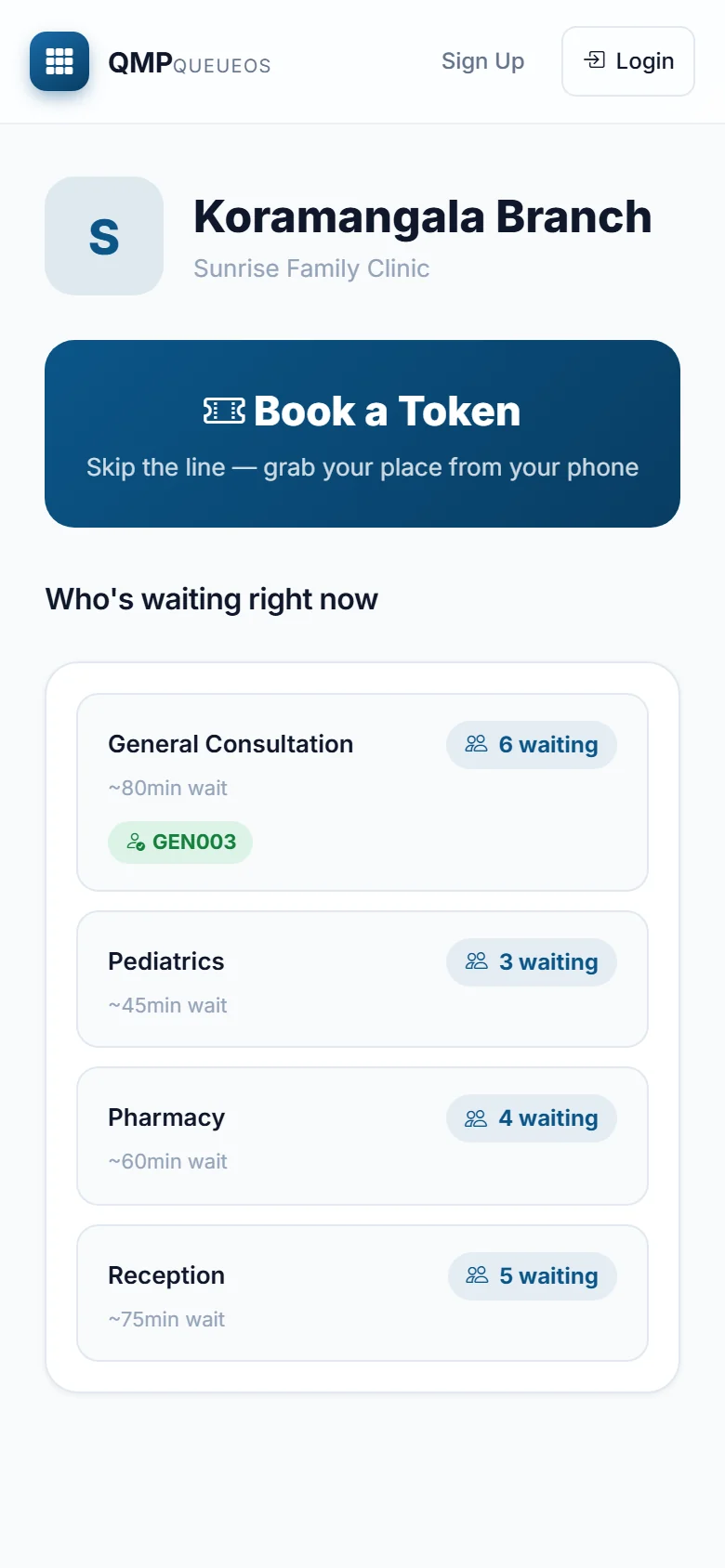
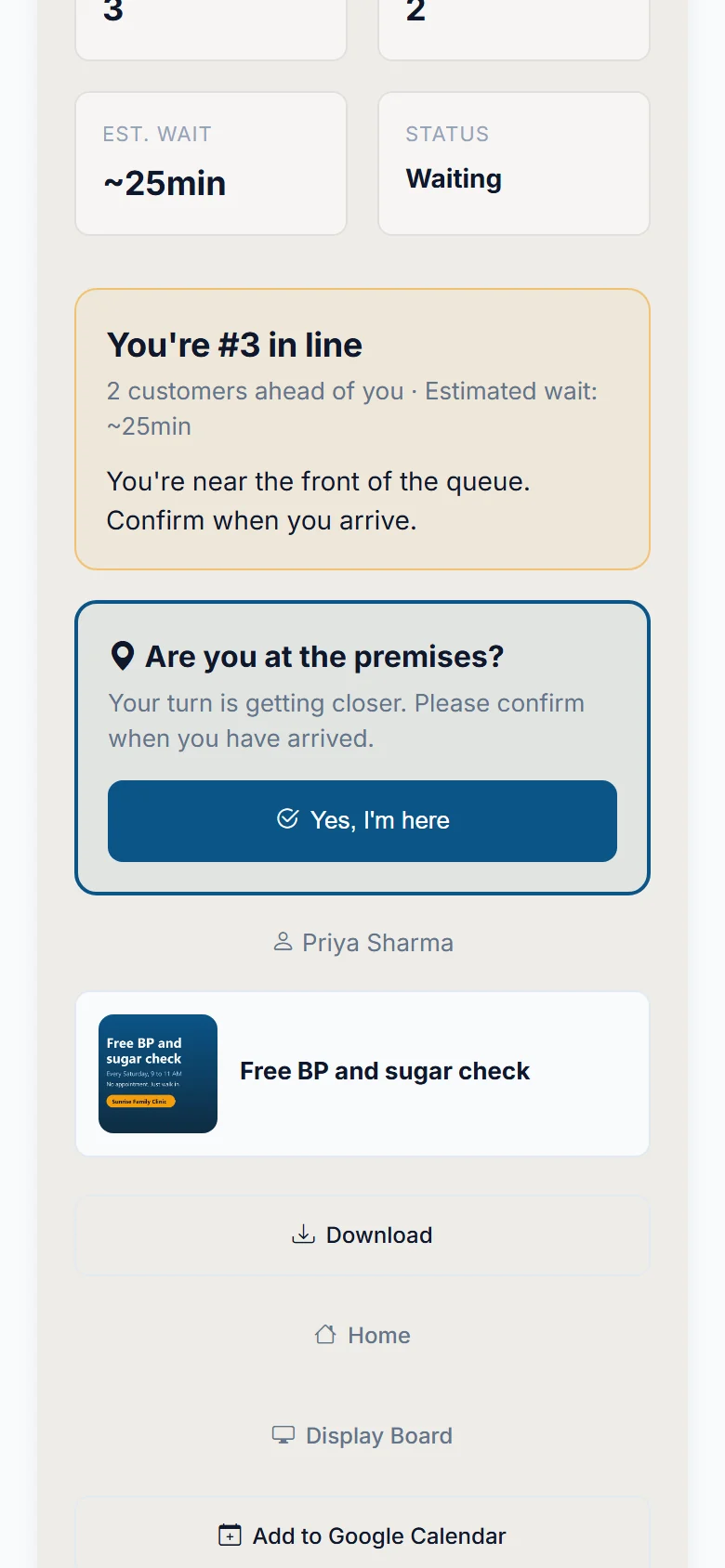
Know where you stand, from anywhere.
These are real screens from the app. Tap a step to see it.
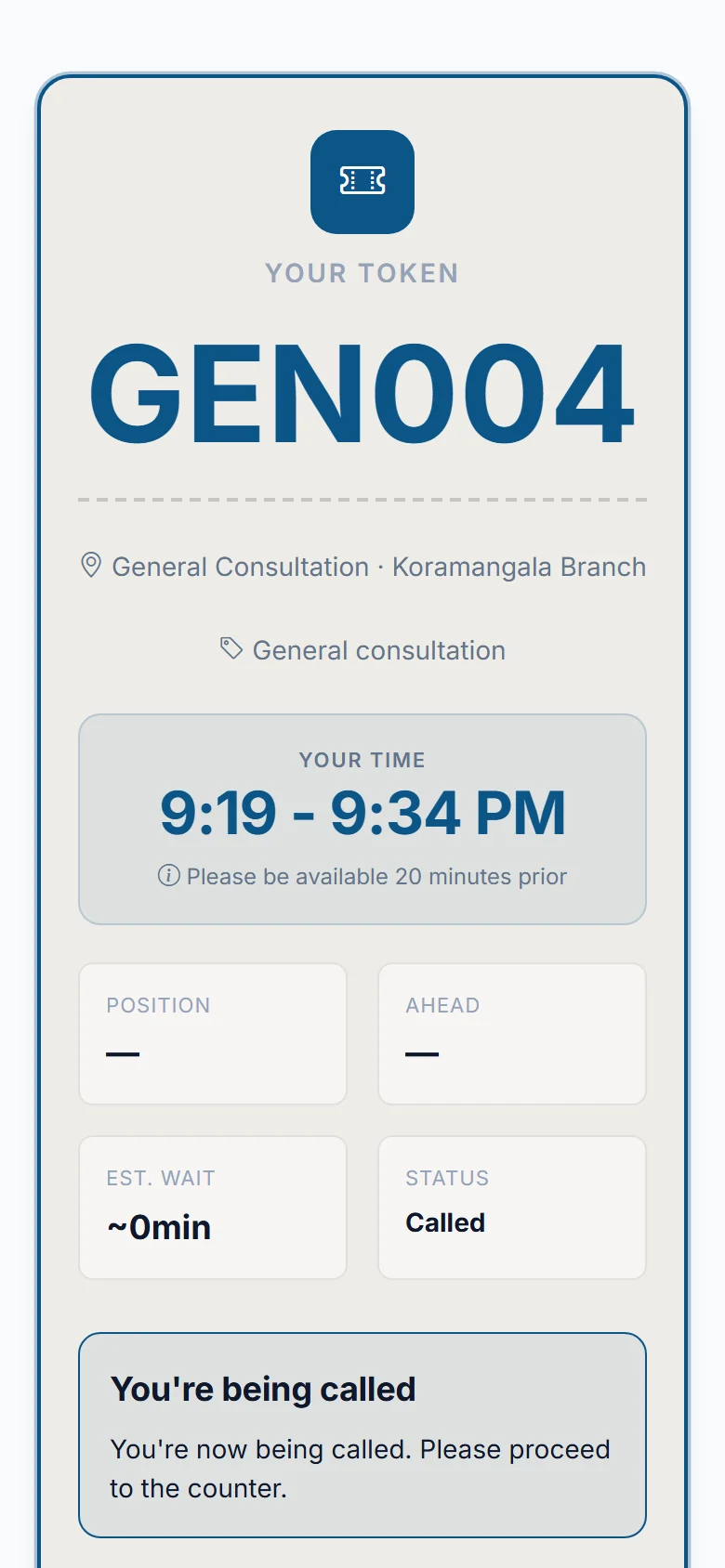
Four things QMP gives you.
Time back
Customers can wait elsewhere and arrive when their turn approaches.
Certainty
Live queue positions, estimated waiting times and notifications. No guessing.
Control
Businesses manage queues, counters, branches and display boards from one platform.
Range
One platform for everyday business queues and one-day event queues, through Pulse.
See the whole crowd. Lose fewer customers to it.
Three real screens your team will use. The yellow numbers explain what you are looking at.
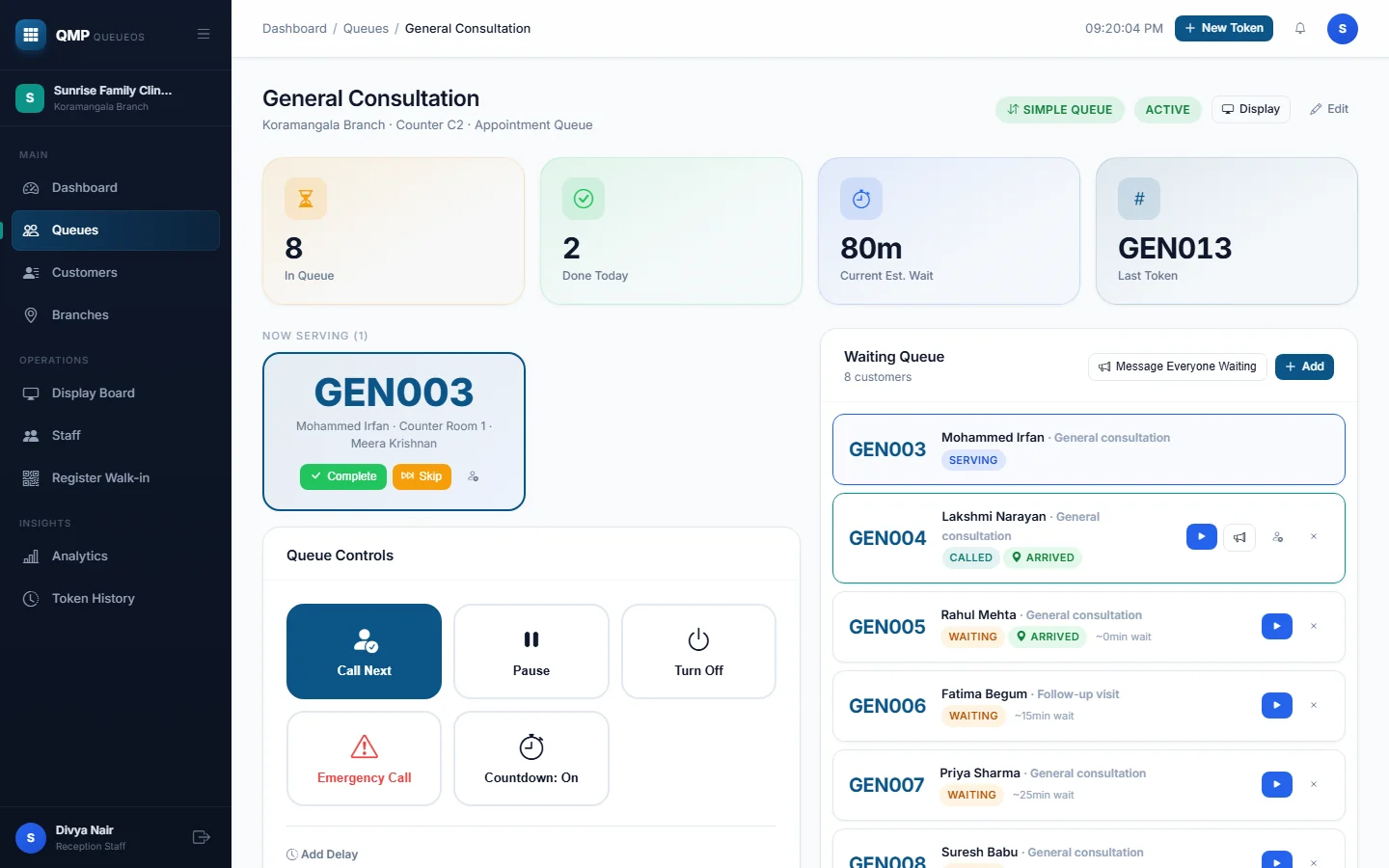
- 1Who is being served nowThe desk always knows who is with the doctor, stylist or counter.
- 2Call the next person in one tapThe customer's phone changes instantly, and they get a message.
- 3Everyone waiting, with live waitsNames, services and who has already arrived, in order.
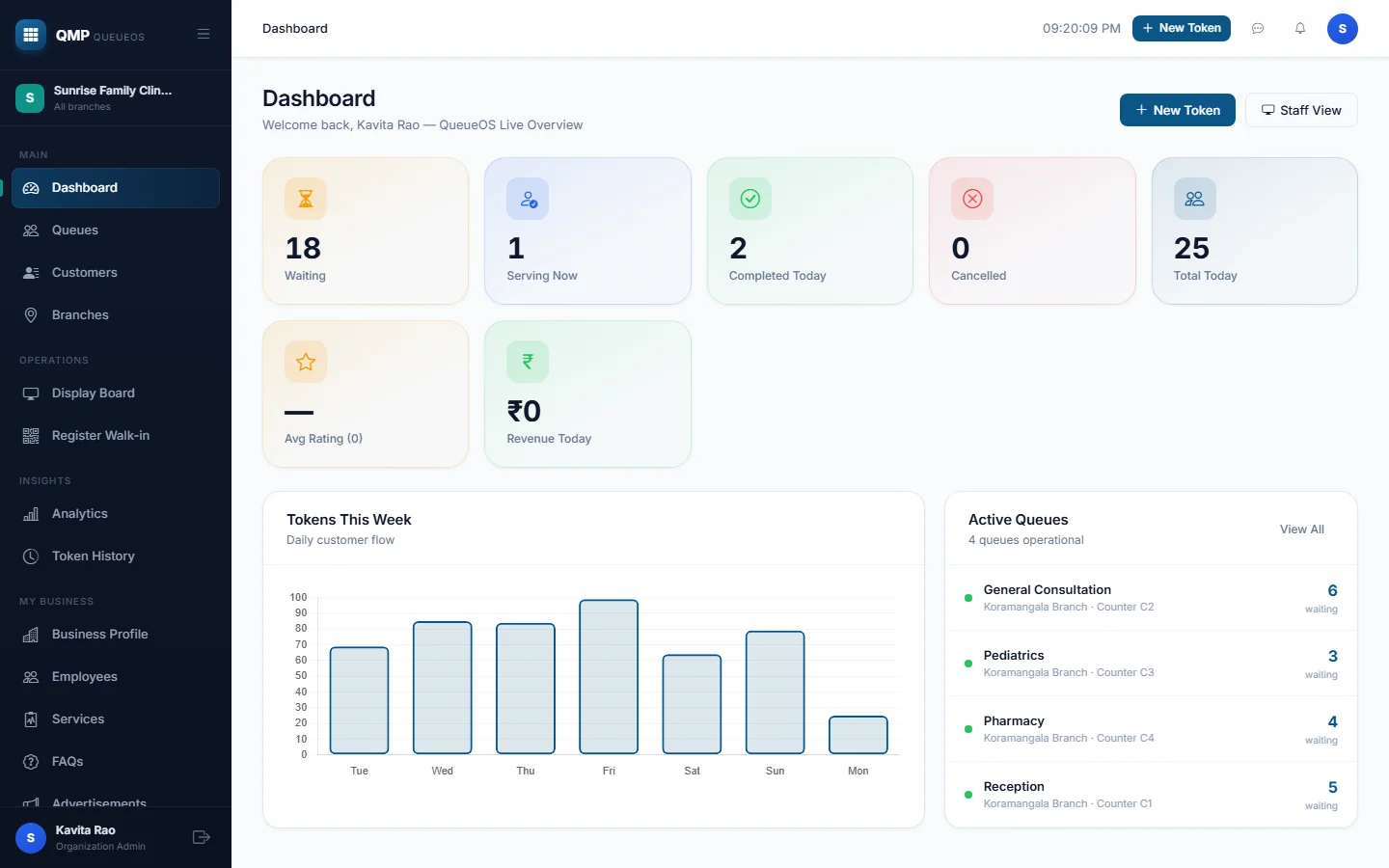
- 1Today at a glanceHow many are waiting, being served and done, without asking anyone.
- 2A week of customer flowSee your busy days, so you can staff for them.
- 3Every queue, liveSpot the one that is backing up before customers walk out.
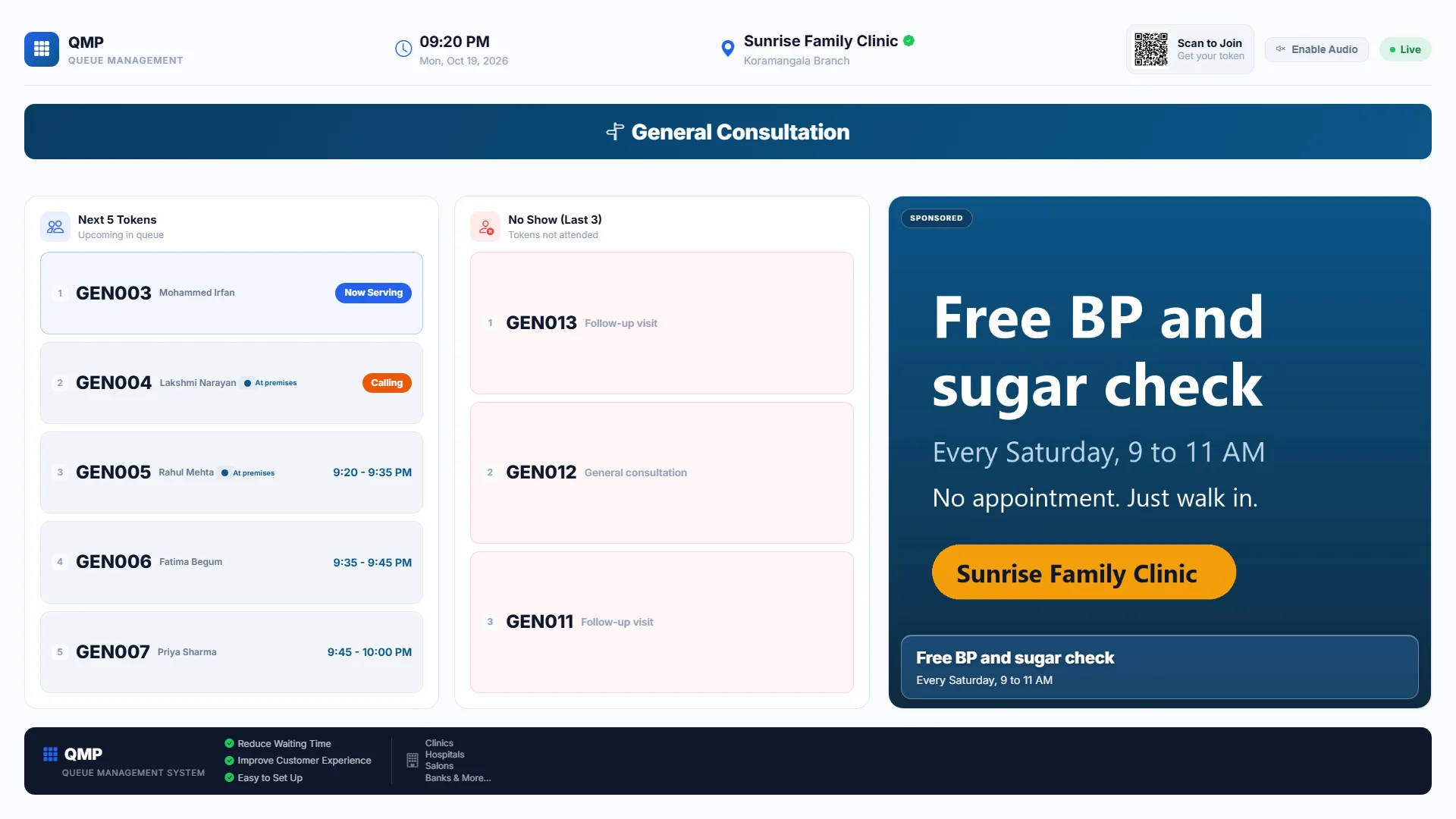
- 1Who is up, and who is nextCustomers watch the wall instead of crowding the desk.
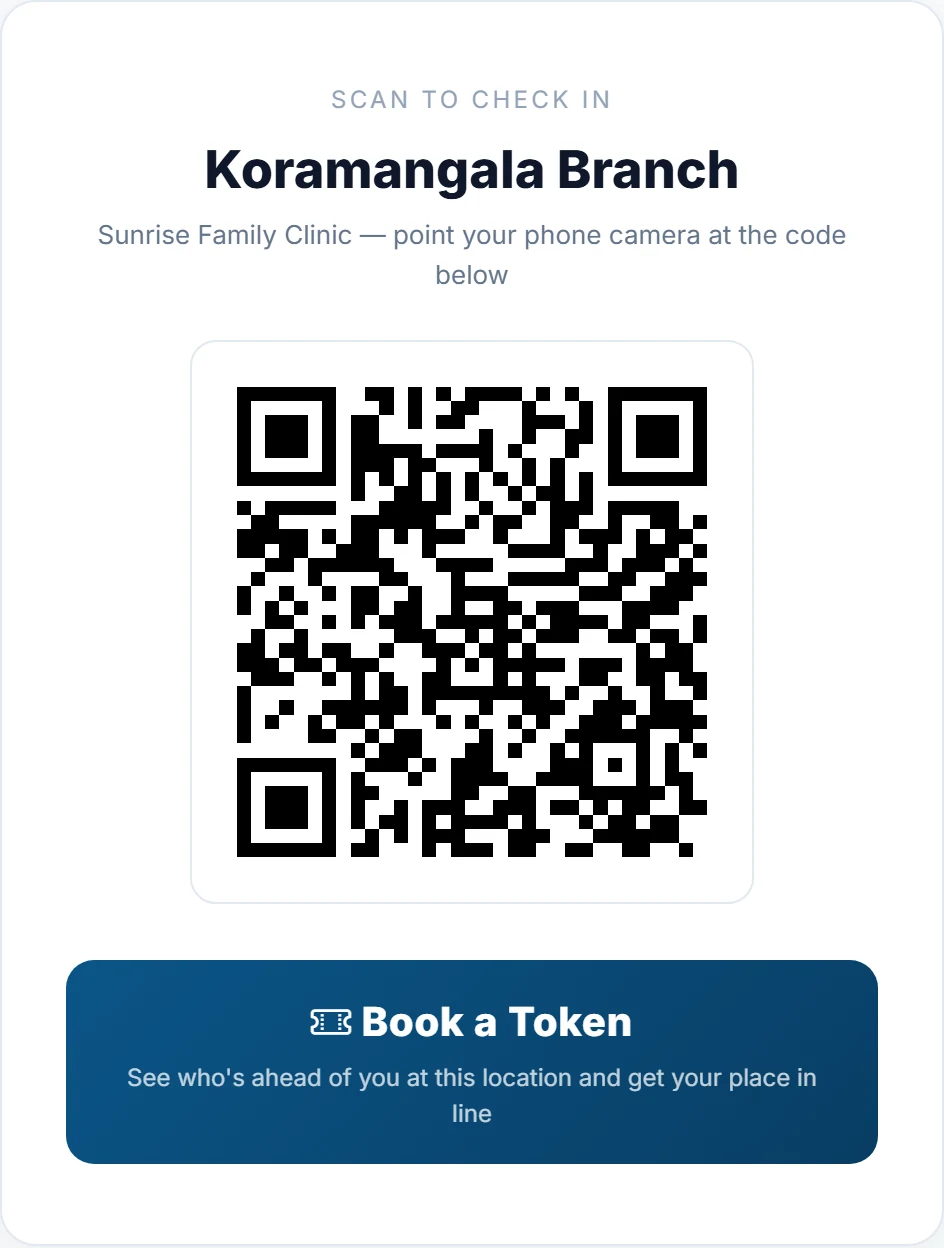
- 2A QR code to joinWalk-ins scan from the wall and get their own token.
- 3Your own promotionsShow an offer or announcement while people wait. Any TV with a browser works.
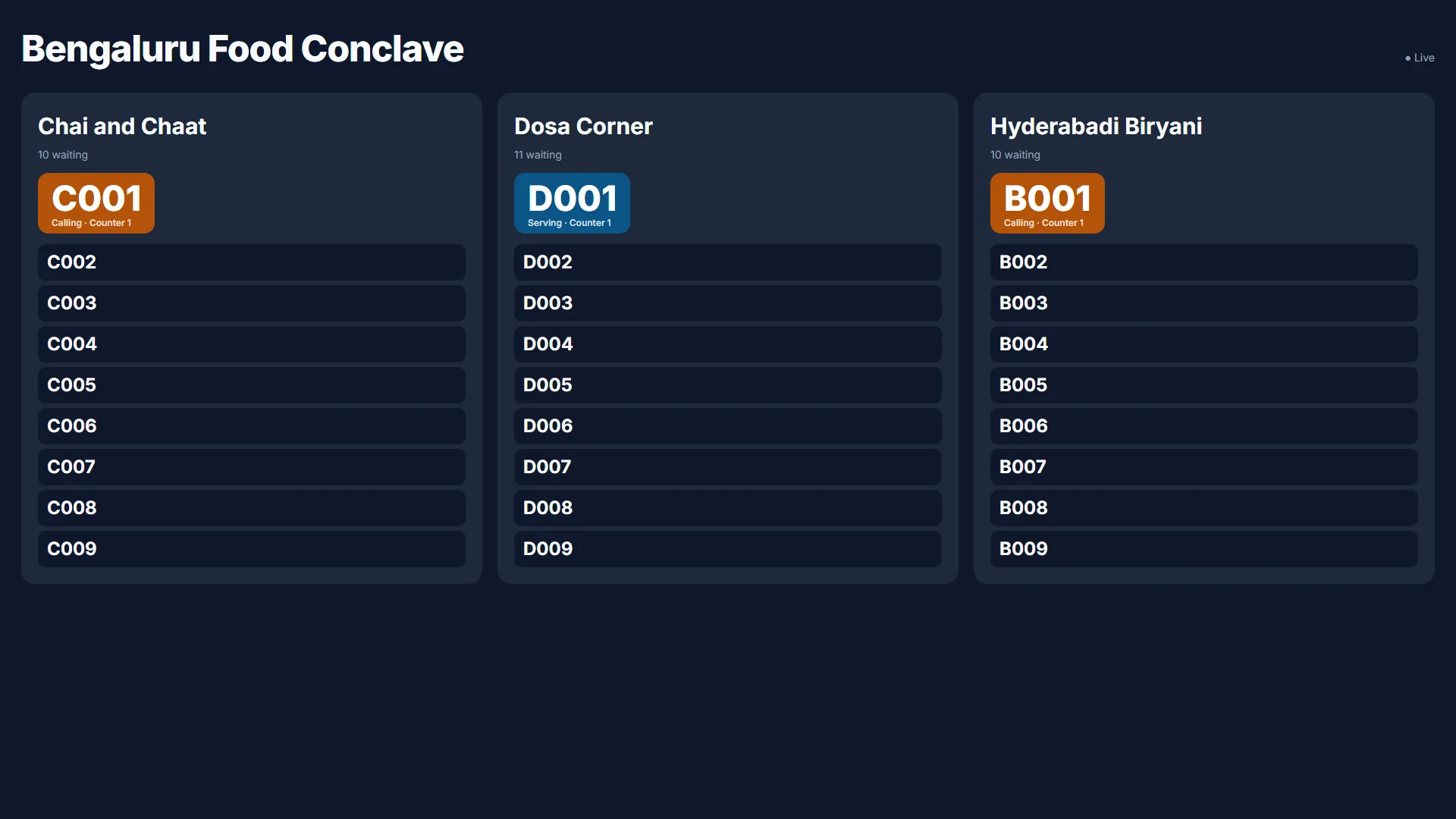
One day. Thousands of people. One calm screen.
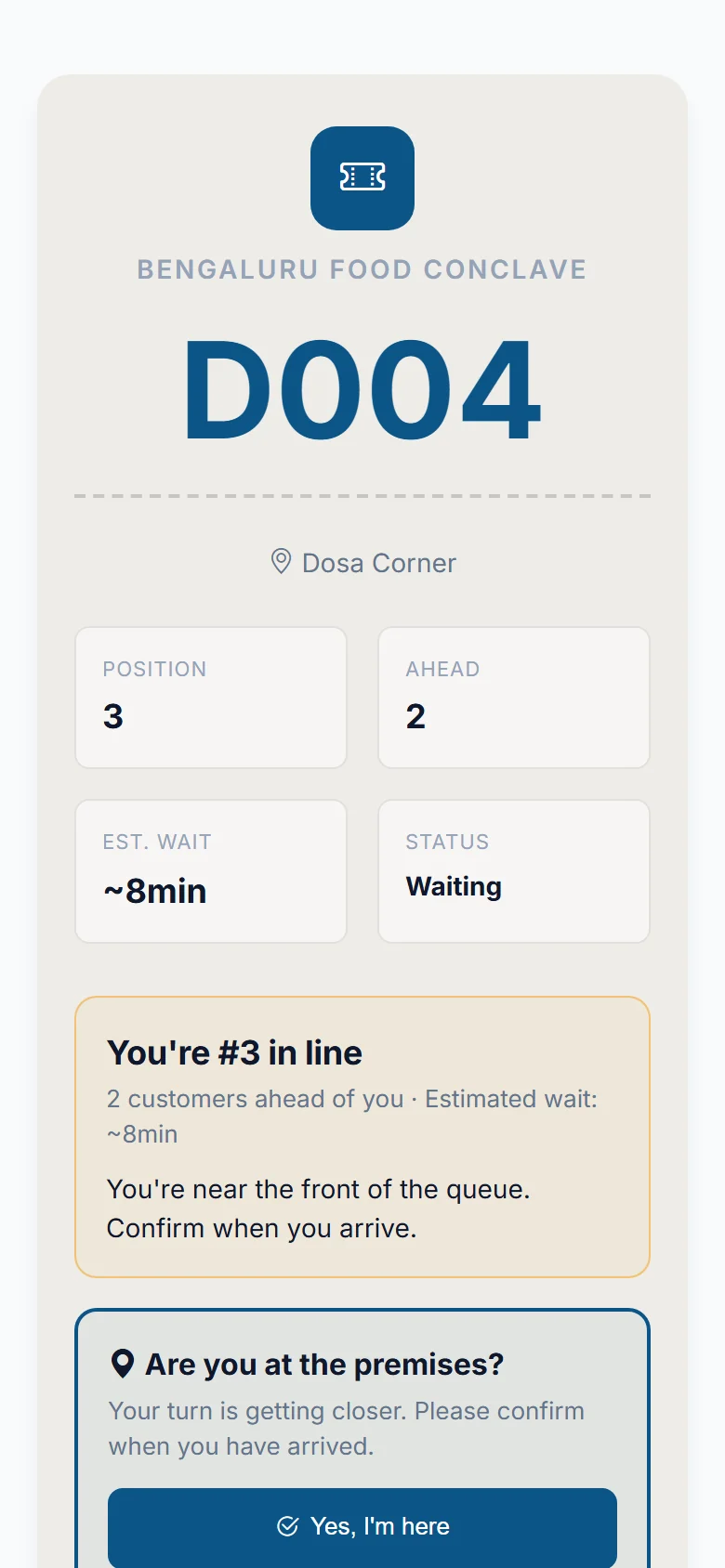
Food conclaves, fairs and vendor days turn into managed queues. No barricades, no shouting, and nobody stuck in the sun for an hour.
Anywhere people wait.
Live today for the places below. More are on the way.
Clinics
Patients know when to walk in, and the waiting room stays calm.
Diagnostic centres
Sample collection, scans and report desks all run as live lines.
Salons and spas
Clients wait comfortably and book a slot ahead of time.
Events and conclaves
Food counters, gates and vendor stalls run as managed queues.
Restaurants
Guests explore nearby instead of crowding the entrance.
Launching soonBanks
Several counters, organised without the confusion.
Launching soonGovernment offices
A clearer, more predictable waiting experience for citizens.
Launching soonNot on the list?
If people wait at your place, tell us what you run and we will tell you honestly if we can help.
Talk to usReal numbers, counted as we go.
These are counted straight from our database, so they start small and grow with us.
The short answers.
Do customers pay anything?
No. Joining a queue and tracking your token is free for customers, always.
Does my customer need to install an app?
No. It works in the phone's normal browser. They scan a QR code or open a link.
What does a business need to start?
A phone or computer for the front desk. For the waiting-room screen, any TV, monitor or tablet with a browser. No special hardware.
How accurate is the wait time?
It is worked out from how long each service actually takes, for everyone ahead of you. It is an estimate, and it updates live as the line moves.
Give your customers their time back.
Tell us about your business or your event. We reply on WhatsApp or email, usually within one business day, with a short walkthrough built around you.
- No card needed
- Set up with you, step by step
- No special hardware